

Since the Entry/Exit System (EES) became fully enforceable on 10 April 2026, many air carriers have run into operational and technical issues with eu-LISA systems. As an eu-LISA certified data provider, we’ve seen the same problems appear repeatedly: registration failures, expired COBST access links, Carrier Interface errors…
This article explains the most common eu-LISA issues — and how to solve them quickly.
EU-LISA REGISTRATION PROCESS
Registration with eu-LISA is mandatory. Without it, carriers cannot perform the new passenger and crew checks that are now legally required before flights to the eu-LISA member states.
How do I register with eu-LISA?
All registrations are now handled through the Carrier Onboarding and Support Tool (COBST).
Registration steps:
- Go to the Registration Portal.
- Create a temporary “Carrier Representative” account.
- Verify your email address. The verification link is valid for only 15 minutes!
- Open the “Carrier assistance center”.
- Set up two-factor authentication.
- Once logged-in, search for: “Carrier registration – Request Carrier registration”.
- Complete all mandatory fields (*).
- Upload required documents:
- translated into an official EU or Schengen Associated Country language
- PDF format only
- Submit the request.
You can track progress under Requests inside COBST.
Once approved, eu-LISA will issue:
-
- a Carrier ID (CXXX);
- a PIN number for emergency support access.
Store both securely.
I haven’t registered yet — and my flight is tomorrow. What can I do?
If you cannot complete registration before departure, minimize risk by checking whether any passengers or crew:
-
- are non-Schengen nationals / require a visa;
- hold a Type C visa, single or double entry;
- have already used all visa entries (verify visa stamps manually).
These are the travellers subject to Entry/Exit System (EES) checks.
Where possible:
-
- confirm remaining entries directly with the traveller (it’s your call if you trust them);
- consider obtaining a waiver acknowledging potential penalties.
DISCLAIMER: This guidance is provided as an emergency workaround only and should be followed at your own discretion. Skipping EES queries exposes you to significant compliance and financial risk. PnrGo strongly recommends completing eu-LISA registration as soon as possible.
My COBST registration keeps failing. Why?
COBST is known to reset forms or return random errors. To reduce problems:
-
- use the verification link immediately (15-minute expiry);
- complete every required field;
- upload all documents in PDF format only;
- avoid leaving the session idle.
In practice, eu-LISA registration often takes multiple attempts — so grab a coffee and be patient 🙂
I registered with eu-LISA before COBST was introduced. Do I need to register again?
If you have received the COBST activation link and can access your COBST account without issues, you do not need to register again.
If you registered with eu-LISA before COBST was introduced and are now unable to access your COBST account, you may need to register again (see: I am registered with eu-LISA, but I cannot access COBST).
COBST ISSUES
The Carrier Onboarding and Support Tool (COBST) is now the central platform for all carrier communication with eu-LISA, including registrations and support requests. Access to COBST is essential for maintaining EES compliance and resolving operational or technical issues.
I am registered with eu-LISA, but I cannot access COBST
Many carriers registered with eu-LISA via email before COBST existed (between 2021–2025). When eu-LISA phased out the old registration process in late 2025 / early 2026, COBST activation links were sent to each carrier’s registered SPOC (Single Point of Contact).
Common issues included:
-
- the SPOC no longer works for the company;
- the SPOC mailbox is no longer monitored;
- the activation email was missed during the Christmas / New Year period;
- the activation link expired after 24 hours.
If any of these happened to you, eu-LISA will usually require you to complete the registration process again in order to obtain COBST access. Since COBST is now the only official communication and support channel, restoring access should be treated as a priority.
My COBST access link expired. What can I do?
The full-access COBST activation link is valid only for 24 hours. If it expires before being activated, you will usually need to repeat the registration process to generate a new access link.
This also applies to carriers registered before COBST existed (see: I am registered with eu-LISA, but I cannot access COBST).
What’s the difference between CSA and CCU accounts in COBST?
Each registered carrier should have two levels of access to COBST:
- CSA (Carrier Support Admin) – 2 accounts:
- typically assigned to SPOC and backup SPOC;
- manages users, connection requests (web portal/mobile app/system-to-system), and de-registrations.
- CCU (Carrier COBST User) – 10 accounts:
- intended for operational staff;
- used for support tickets, incident reporting, and technical impossibility submissions.
How do I add a new DCS or data provider in COBST?
Each system used to submit EES queries must be declared separately. This can be done during initial registration or later via the CSA account in COBST.
Inside COBST, submit “S2S connection request”. Processing times vary so requests should be submitted as early as possible, especially when introducing a new DCS for ad-hoc operations. Having a backup submission option is recommended.
COBST is down. What should I do?
Call the eu-LISA emergency support line: + 48 22 152 57 50.
You will need your PIN number to access telephone support (see: Where can I find my PIN for the emergency phone line?).
EU-LISA CARRIER INTERFACE ERRORS
When querying the Carrier Interface (via web portal, mobile app, or system-to-system integration), you may encounter error messages. eu-LISA processes submissions in bulk, meaning that a single invalid or missing field in one passenger record can cause the entire submission to fail with a generic error.
Error 401: Carrier not authorised
Usually means:
-
- the carrier is not registered;
- the data provider is not fully certified;
- or the connection is temporarily failing.
What to do:
- Retry after 1–2 hours.
- Confirm your provider or DCS is eu-LISA certified.
- If unresolved, open a COBST support request.
Error 422: Mandatory data missing or in wrong format
This is the most common Carrier Interface error. However, the error message itself does not indicate the exact cause. You can check for the following issues:
-
- Missing first name
If the passport contains no first name, enter FNU (“First Name Unknown”). - Missing passport expiry date
If no expiry exists, use 3000/01/01 and ensure the document is less than 10 years old. - Name too long
Use the exact formatting from the MRZ (Machine Readable Zone). - Airport not found
Some airports are still missing from the eu-LISA database. If this is suspected, submit a technical support request via COBST. - Airport without an IATA code
eu-LISA is currently unable to process messages for airports that do not have an IATA code. As a temporary workaround, use the IATA code of the nearest airport.
- Missing first name
GETTING HELP FROM EU-LISA
eu-LISA does not have access to traveller personal data and can only assist with operational or technical issues. For questions about travel permission, contact the issuing country of the travel document.
How do I access eu-LISA support?
Recommended escalation path:
- Check the official FAQs.
- Submit a COBST support request.
- Call the emergency line — only if COBST is unavailable.
Emergency number: +48 22 152 57 50
Where can I find my PIN for the emergency phone line?
The PIN is emailed to your SPOC after registration approval.
Keep it accessible as:
-
- it is required for emergency phone support;
- replacement requests generally require COBST access (if COBST is down and the PIN has been lost, there is no alternative way to contact eu-LISA).
|
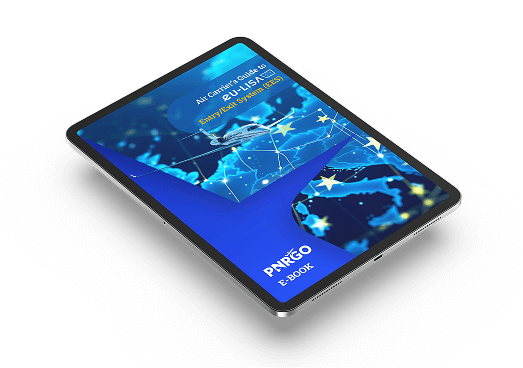
Free EES e-Book for Air Carriers If you need a practical guide to EES compliance, download our free e-book: |
To learn more about our passenger and crew data compliance solutions, schedule a call with one of PnrGo Sales Representatives.